

VeryFit
Smart Wearable DevicesVeryFit is a lightweight Android fitness companion that brings steps, sleep, heart rate, and workout data from compatible wearables into one dashboard. It also offers goal-setting and control over which phone notifications reach the connected band.
Screenshots
About this app
VeryFit is an Android fitness app that gathers sensor data from compatible wristbands and smartwatches and presents it as daily and weekly summaries. It is built around simple navigation, so users can check their activity, set targets, and review trends without working through dense menus or complicated statistics.
What kinds of data does VeryFit track?
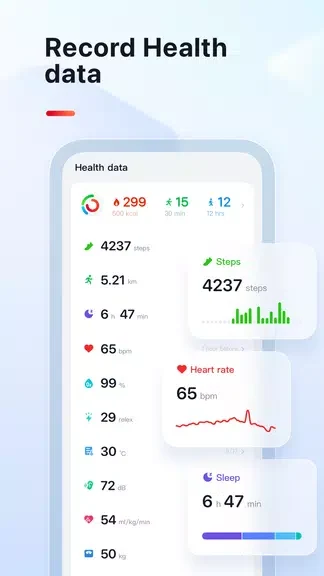
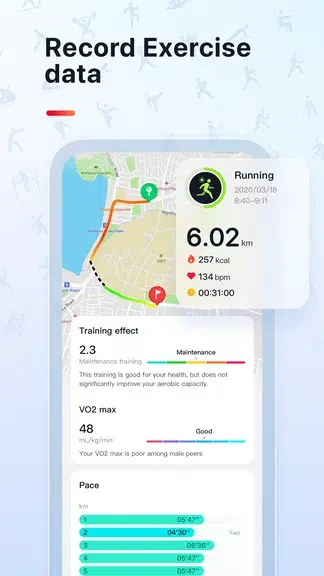
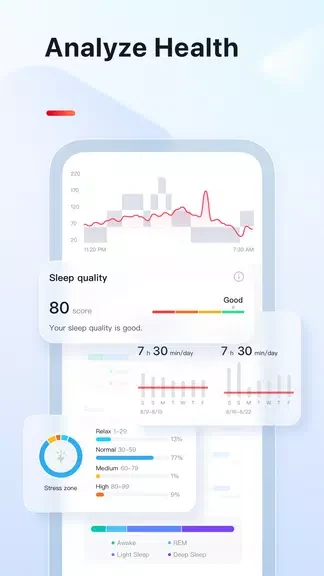
The app records steps, distance, and calories, with daily and weekly summaries of each. It also covers sleep, showing sleep stages, duration, and a quality score that can help users notice patterns. Heart rate is shown as resting and active readings, with trend charts for quick comparisons. For exercise, VeryFit offers several workout types, including walking, running, and cycling, with duration and intensity tracking.
How do pairing and syncing work?
After a compatible device is paired, VeryFit syncs its sensor data to the phone. The app then converts raw readings into interpreted metrics such as activity minutes and sleep efficiency. Pairing uses Bluetooth and a guided setup wizard that walks through permissions, profiles, and notification access. Syncing can run automatically or be started manually.
How are the results presented?
The interface separates information into tabs for Health, Activity, and Device. Color-coded graphs and summary cards keep the most important numbers visible. Charts display daily trends and weekly comparisons, and the app highlights milestones with simple suggestions for reaching goals. Data export options allow users to back up their history or review details in spreadsheet form.
Which settings can I adjust?
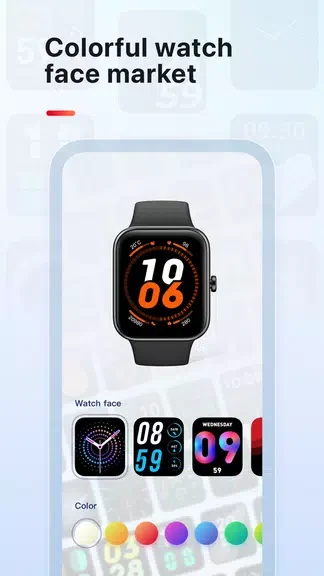
Users can set daily step goals, adjust workout targets, and schedule do-not-disturb periods. Notification settings decide which incoming call and message alerts, along with silent alarms, are delivered to the wearable. Watch faces, vibration patterns, and forwarded alerts can also be customized. Sync frequency and sensor polling can be tuned to favor battery life or data detail.
How does VeryFit handle battery use?
The developer describes VeryFit as designed to limit background battery drain while keeping updates close to real time. The adjustable sync and polling settings are the main way to balance battery use against the level of detail collected. Manual sync can reduce background activity, while automatic sync supports uninterrupted tracking.
Who is VeryFit designed for?
The app suits people who want step counts and active minutes with nudge alerts to keep them moving during the day. Sleep-focused users can use the sleep reports to see whether changes to bedtime appear to affect their rest. Athletes can track specific workouts and export session logs for further analysis. The developer describes the app as a no-frills companion for everyday tracking and basic health monitoring.
What should I check before installing?
Compatibility depends on the wearable model. The description says the app supports a range of budget-friendly fitness bands, but it does not list specific models, so users should confirm their device is supported before relying on it. Firmware updates for supported bands are handled through the app. Charging the wearable fully before the first sync can help avoid interruptions during setup, and entering height, weight, and dominant hand can improve accuracy.
Version history
View all15 Oct 2026 · stable
Frequently asked questions
Does VeryFit work without a compatible wearable?
The source describes VeryFit as consolidating data from compatible wristbands and smartwatches. It does not describe a phone-only tracking mode, so a supported wearable is the expected setup.