
Timelapse Calculator
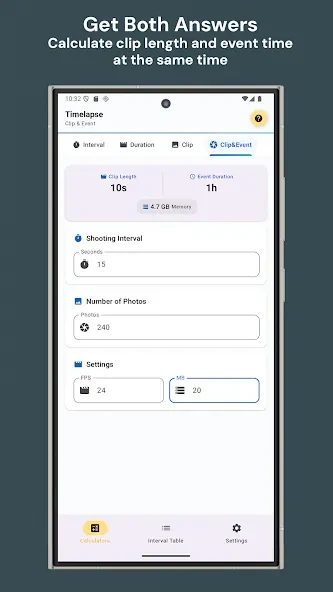
Timelapse Calculator is a photography app for planning time-lapse shoots. Users enter the values they know or want to reach, and the app calculates the remaining parameters, including shot count, shooting interval and required storage.
Screenshots
About this app
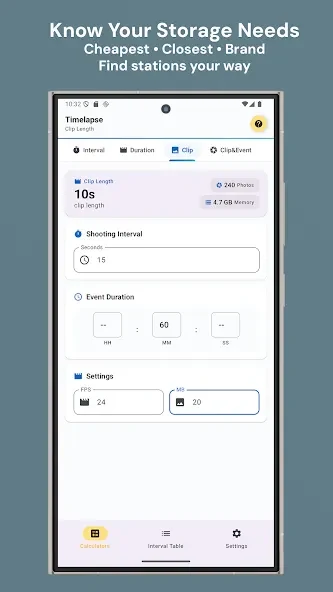
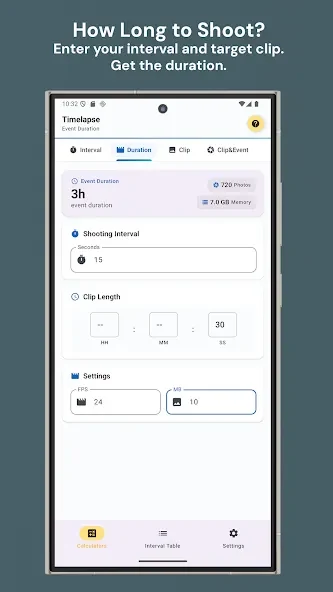
Timelapse Calculator is a photography app for planning time-lapse sequences. Users enter the values they already know, or the result they want to achieve, and the app calculates the other parameters. The listing names six parameters: shooting interval, shooting length, shot count, result clip frame rate, result clip length, and photo size with total size. Together these cover how many photos a sequence needs and how much storage the shoot will use.
Setting the exposure window and interval
To use the app as a standalone tool, users open it and enter the parameters, beginning with the starting and ending points of the exposure. The starting point is the time the photo is taken. The ending point is that time plus the length of the exposure. Next, users set the shooting interval, which is the wait the app uses between each photo. The interval can be set to a specific time or to an automatic mode, in which the app calculates the exposure parameters itself.
Choosing the shot count and starting mode
After the interval, users choose the number of photos and a starting mode. The default mode uses the current time as the starting point. The latest mode uses the time of the last photo as the starting point.
Results and input layout
According to the listing, the app presents its outcome in hours, minutes and seconds, along with the total number of frames. The description says the calculator uses three input fields and a minimal design, so users can reach results without a conventional calculator.
Reported display and layout issues
User reviews in the listing describe some limitations. One reviewer said the display works best in landscape orientation, because in portrait the numbers become crowded and overwrite each other. Another reviewer, using a Pixel 8 Pro, reported that the Reset and Calculate buttons sat at the bottom of the screen, where the system navigation buttons overlapped them, and that some buttons shown in the store screenshots did not appear on their device. A third reviewer said a different app with the same name includes a countdown timer for remaining shots, which this app does not include. These are individual user reports rather than verified test results.
Updates and version information
The listing shows version 2026.08.30 and states that updates include bug fixes and adjustments to the calculation models. The listing does not describe the specific changes in each update.
Version history
View all12 Oct 2026 · stable