
Threema Work. For Companies
Threema Work. For Companies is a professional communication application designed to protect internal business discussions with end-to-end encryption. It provides secure messaging, voice and video calls, file sharing, and administrative management tools for organizations.
Screenshots
About this app
Professional Team Communication and Collaboration
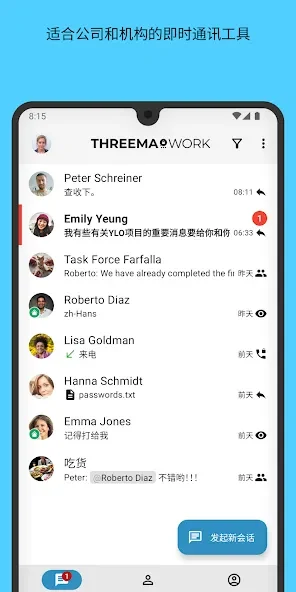
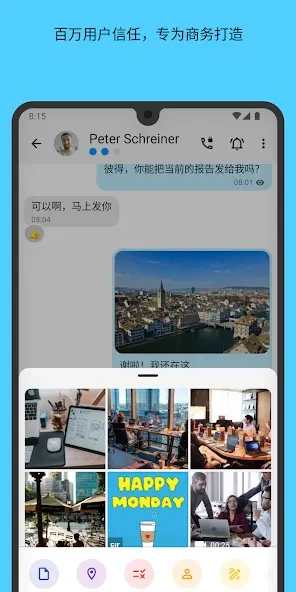
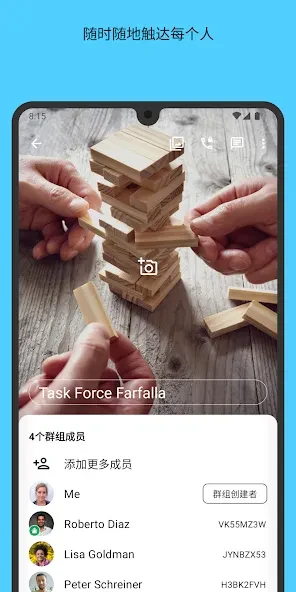
Threema Work. For Companies functions as a dedicated messaging solution tailored for organizations and teams requiring dependable internal connectivity. The platform employs end-to-end encryption to protect the confidentiality of text and voice messages, media, and documents exchanged between colleagues. Teams can organize group chats, conduct voice and video calls, share various file formats including PDF, MP3, ZIP, and GIF, or distribute polls and distribution lists to streamline coordination.
Administrative Controls and Privacy Protection
Administrators are equipped to manage users, pre-configure application parameters, and define organizational usage policies. To support data governance, users can mark specific messages as compliant or non-compliant. Privacy measures are further reinforced through options such as password, PIN, or fingerprint protection for confidential chats, working-hour restriction policies for notifications, and contact identity verification via QR codes. Messages can also be edited or deleted for chat partners after sending.
Getting Started and Setup Workflow
New users open the application to generate a Threema ID, choosing whether to associate optional contact details or maintain an independent account structure. Contacts can be added directly via their Threema ID or by scanning a QR code to verify identity before initiating secure private conversations. Team members can then exchange text, voice notes, pictures, videos, and locations, or initiate live voice, video, and group calls when verbal discussion is more efficient than typing.
Version history
View all13 Oct 2026 · stable
Frequently asked questions
How do I add new contacts securely in the app?
You can add contacts by entering their Threema ID or by scanning a QR code to confirm their identity before starting private chats.
Can I restrict when notifications arrive?
Yes, the app includes a practical off-hours policy that restricts notifications to working hours.
What extra security options are available for chats?
Confidential chats can be given additional protection using a password, PIN, or fingerprint.