

Star Launcher Prime
ihyperg.comStar Launcher Prime is an Android customization tool for changing the phone interface, adjusting app-related settings, hiding selected apps, and navigating through quick controls. It brings together appearance options, app organization, and privacy-oriented controls in one launcher-style experience.
Screenshots
About this app
Star Launcher Prime is an Android customization tool for changing the phone interface, adjusting app settings, hiding selected apps, and making everyday navigation more direct. Its documented purpose is to give users a set of controls for personalizing appearance and organizing access to phone functions.
Customize the phone interface
The app supports changes to the visual presentation of the phone through colors, icons, and themes. These options can be used to give the interface a different appearance and to personalize individual apps. Users can explore the available combinations rather than relying on a single fixed layout, making the visual settings the central part of the app's customization role.
Organize and hide selected apps
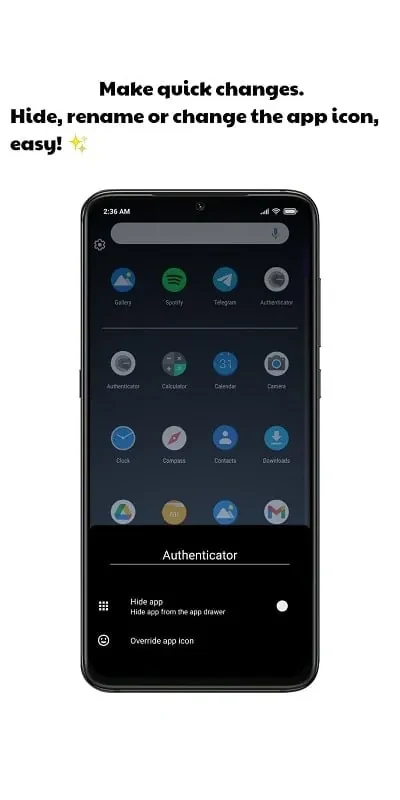
Star Launcher Prime also groups app organization with an app protection feature. Users can select apps to hide so that those apps are not visible to other people using the phone. This is described as a way to keep apps containing sensitive information out of view when the device is shared. The source explains the hiding control, but it does not describe encryption, account protection, or any guarantee that information inside an app is secured.
Use quick navigation controls
Navigation support is provided through several control methods. The documented options include swiping up on the screen, pressing virtual keys, and accessing a search engine. These controls are intended to provide quicker access to favorite apps, notifications, and other phone activities. Users can try the available methods and choose the approach that fits their preferred way of moving through the interface.
Adjust settings for a personal setup
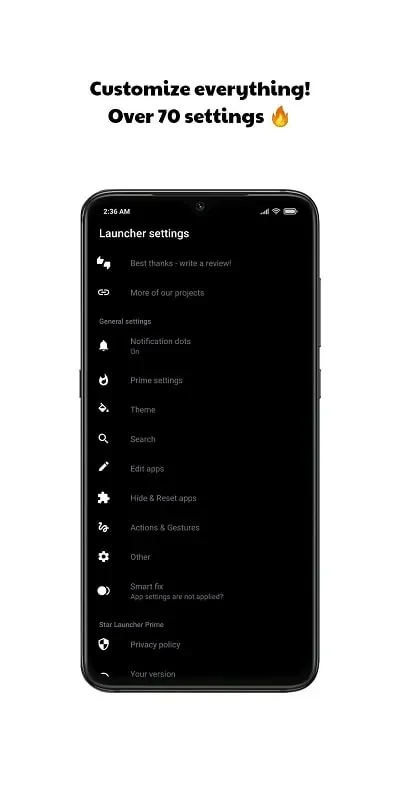
In addition to visual changes, the app offers adjustment options for the interface and app settings. The source presents these controls as easy to modify, allowing users to refine the phone's appearance and navigation according to their preferences. The available information does not specify particular system requirements beyond the Android app listing, nor does it document exact device support or performance measurements.
Version history
View all09 Sep 2024 · stable