

NAVER Dictionary
NAVER Dictionary is an English reference app for Android that brings together several dictionaries, example sentences and native and user-recorded pronunciations. It supports quick lookups as well as longer vocabulary study, with RECENTS and FAVORITES lists for organizing words.
Screenshots




About this app
Dictionary content and examples
NAVER Dictionary is an English reference app that gathers several dictionaries in one place. According to its description, these include major monolingual and learner dictionaries drawn from well-known sources, covering vocabulary from common words to advanced terms. Each entry pairs its definitions with example sentences that show how a word is used, and phonetic transcriptions help readers picture how a word is pronounced. The reference also covers multiword expressions and contextual usage notes, which the source presents as useful for reading, writing, listening and speaking practice.
Pronunciation audio and community recordings
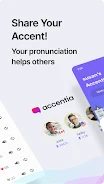
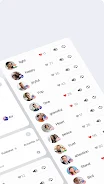
The audio library is one of the app's main features. The description says it offers native pronunciations in American, British, Australian and other accents, and it describes the collection as very large. Users can also hear clips submitted by the community through a feature called Accentia, which adds regional recordings beyond studio-produced audio. Those user clips add real-world variety, but the source notes that their recording quality and consistency can differ. Comparing several pronunciations of the same word is one way to hear how it sounds across accents.
Searching, RECENTS and FAVORITES
Search is the starting point. Typing or pasting a word brings up consolidated entries from several dictionaries in a single view, and suggestions appear as you enter a query. Voice input is also available for hands-free lookups. Tapping an example sentence expands its context, while audio icons play the pronunciation samples. The app keeps its controls visible so you can switch between dictionary sources or move between examples without losing your place.
Organization happens through two lists. RECENTS records lookups so you can return to words you met while reading or in conversation. FAVORITES holds a smaller set of words you choose to study more closely. The description calls the result an automatic wordbook combined with a simple favorites system. Its suggested workflow is to collect new words in RECENTS, move selected ones to FAVORITES, and listen to the pronunciations as review.
Learning levels and layout
Rather than a fixed leveling system, the app offers different dictionaries for different stages of proficiency. Learner-oriented definitions and examples are aimed at beginning and intermediate users, while fuller and more technical entries serve advanced learners. The description says the layout separates definitions, examples and audio into distinct sections, uses high-contrast text and legible fonts, and keeps navigation predictable. It also says phonetic displays and prominent audio controls are included to support different needs.
Trade-offs and suitability
The source acknowledges some limits. Coverage can be uneven for rare or highly technical words, so some entries may have fewer examples or audio samples. Because several sources are shown together, a user can sometimes find an alternate example or pronunciation when one source is thin. The description presents NAVER Dictionary as free to use and suited to students, educators, writers and travelers who need English references and spoken examples. It focuses on English reference content rather than multilingual translation.
Version history
View all15 Oct 2026 · stable
Frequently asked questions
Does NAVER Dictionary translate between languages?
No. The description says the app focuses on English reference content rather than multilingual translation.