

Measure Tools: AR Ruler Camera
CraftarsMeasure Tools: AR Ruler Camera uses a phone’s camera and augmented reality to measure distances, heights, areas, and angles. It also offers furniture-fit previews and tools for saving, organizing, and sharing measurements with annotated photos.
Screenshots
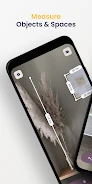
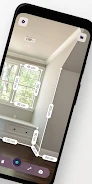
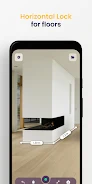
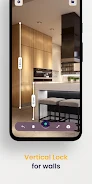
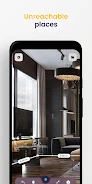
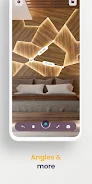
About this app
Measure Tools: AR Ruler Camera turns a smartphone into an augmented-reality measuring tool for checking furniture, room layouts, and outdoor objects. Its live camera view displays measurement markers and dimension overlays, and users can save annotated photos and measurement records for later reference.
Distances, surfaces, and dimensions
For a point-to-point reading, tap two locations in the camera view to place markers and display the distance. Flat-surface mode lets you trace an outline, such as a room layout, and calculate its area. Vertical mode estimates the height of features such as doors, windows, and ceilings. Chain measurements connect multiple segments, making it possible to record an irregular shape or a path rather than a single straight distance.
Box Preview places a scalable rectangle or box over the camera view to help visualize whether furniture may fit in a space. The Angle Finder measures slopes and inclines for simple tilt readings. These tools provide different ways to represent a space or object on screen, while the numeric labels show the current measurements.
Camera controls and measurement adjustments
Tap to place measurement points and tap again to finish; on-screen mode buttons switch between distance, vertical-height, and flat-surface measurements. Visual anchors and highlighting indicate when the AR view has locked onto a point or surface. If a marker needs correction, use the edit control to reposition it before saving a photo or exporting results. Readouts can be displayed in metric or imperial units, with the unit selection available in settings.
Projects, photos, and records
Measurements can be saved as named projects or organized into folders for later review. A project can collect multiple measurements, photos with overlays, and brief notes, allowing entries to be revisited and refined. The app also provides measurement logs, and saved work can be shared with colleagues or clients. This project-based organization supports both individual checks and records spanning multiple rooms or sites.
Settings and practical limitations
Camera-related options include contrast adjustments and a grid overlay for tracing room outlines. The description states that core measuring and saving functions work offline. Results can depend on the camera, motion sensors, lighting, and the surface being measured: low light or surfaces with little texture may reduce precision. The app is intended for phones that support AR frameworks, and the description cautions that very small or highly precise measurements may still call for a physical tape or caliper.
For more consistent readings, keep the phone steady while placing markers and scan the surface before tracing so the AR system can identify it. If readings seem inconsistent, the suggested steps are to restart the session, check motion-sensor calibration in system settings, or move slightly to give the camera more viewing information. A saved photo can help document the measurement and any later adjustment.
Version history
View all15 Oct 2026 · stable