
Layout
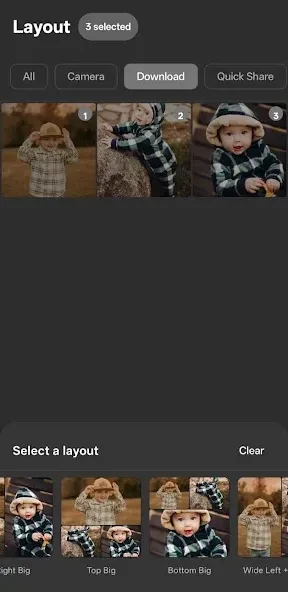
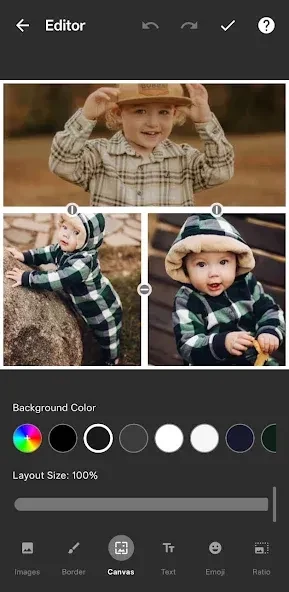
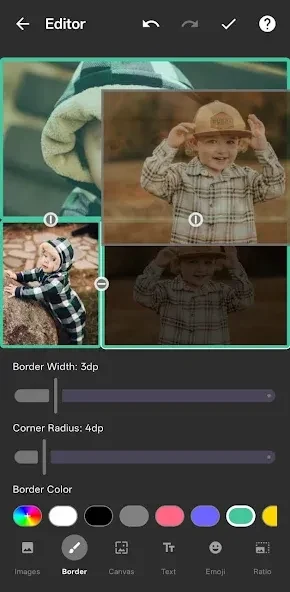
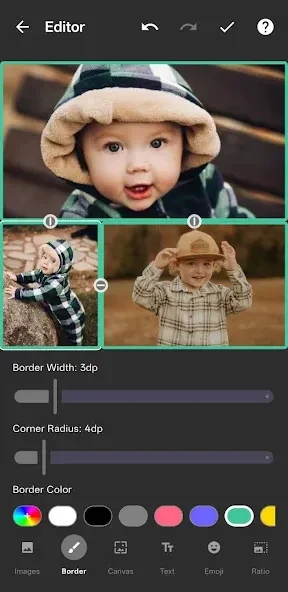
Layout is a free photo editing app for combining up to nine photos into personalized collages. It provides templates, layout options, filters, text styles, special effects, photo discovery tools, and sharing options for Instagram and other networks.
Screenshots
About this app
Layout helps you turn a group of photos into a collage when a single image does not tell the whole story. Layout supports combinations of up to nine photos, with templates, editing tools, and sharing options for finished designs.
When several photos belong in one layout
For outfit collections, everyday moments, artwork references, or other photo series, you can select up to nine images and remix them into a personalized layout. The app provides hundreds of collage templates and layout options, giving you different ways to arrange the selected pictures instead of presenting them as separate files.
The Faces tab is intended for finding photos that include people, while the Recents tab shows the last 30 photos you selected. These tools support the selection stage by focusing attention on specific parts of your photo collection rather than requiring you to browse without guidance.
When a collage needs extra styling
After arranging the photos, you can adjust the look of the collage with filters, text styles, and special effects. These options are useful when the images need a shared visual treatment or when text and decorative changes are part of the design. Layouts can also be paired with Instagram's filters and creative tools afterward for further editing.
When you want to capture images inside the app
Photo Booth mode provides a way to take quick, spontaneous shots for use in a layout. This is separate from selecting existing images, so you can create source photos at the point when you are making the collage rather than relying only on pictures already saved on the device.
When a finished collage is ready to share
Completed layouts can be saved to your gallery and shared to Instagram or other networks. This supports a workflow that moves from selecting photos, to arranging and styling them, to keeping a copy in the gallery or sending the result to a social platform.
When selected photos need protection
Layout also allows specific photos to be password-protected and locked. The source describes this as a way to help prevent accidental deletion, adding a protection option alongside the collage and editing tools.
Starting without an account
The app does not require sign-up or account creation according to the supplied description. You can therefore begin the collage-making process without setting up an account first. Layout is listed for Android 4.1 and later.
Version history
View all06 Oct 2026 · stable
Frequently asked questions
Which Android versions are supported by Layout?
Layout is listed as supporting Android 4.1 and later.