

Komikcast.web.id
Komiku.co.idKomikcast.web.id is an Android comic reader and cataloging app, listed under the developer name Komiku.co.id, that gathers translated manga, manhwa, and webtoons into one interface. Its listing describes chapter downloads for offline reading, personal libraries, and several reader modes for different comic formats.
Screenshots
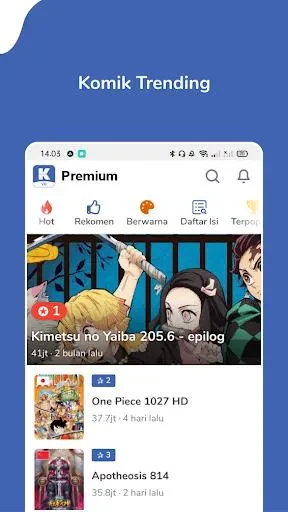
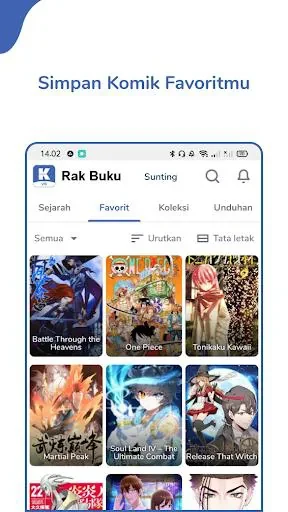
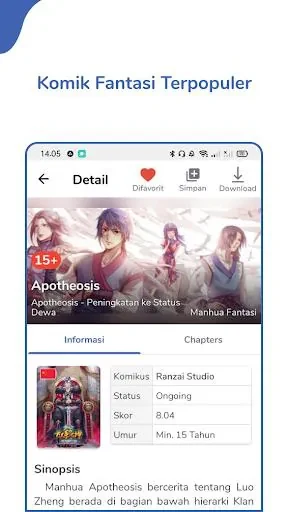
About this app
What is Komikcast.web.id?
Komikcast.web.id is an Android comic reader and cataloging app listed under the developer name Komiku.co.id. According to its listing, it brings translated manga, manhwa, and webtoons into a single interface and focuses on browsing, offline reading, and personal libraries for people who follow serialized stories. The listing places the app in the News & Magazines category and describes version 1.4.7.
How does the library help organize titles?
The listing says each title appears with metadata such as author, genre, status, and update history. Users can bookmark chapters, create collections and shelves for favorites or ongoing reads, and add tags and notes to track plot points or favorite panels. The library can switch between grid and list layouts and shows unread counts and last-read timestamps. Search filters are described as narrowing results by language, popularity, and freshness, and the app is said to detect new releases automatically. A queue manager is also listed to keep upcoming chapters in order.
Which reading modes and display controls are included?
The description names three reader modes: continuous vertical scrolling for webtoon-style comics, double-page spreads for traditional manga layouts, and single-page mode for portrait reading. Other display options include adjustable page margins, a font rendering system, customizable color filters for low-contrast scans, and a brightness override. A sleep timer is listed for long reading sessions. Navigation is described as using swipe gestures to turn pages, pinch to zoom, and tap zones to open menus.
How do offline downloads and storage settings work?
The download manager is described as letting users select individual chapters or entire series and choose an image quality setting that balances storage use against visual detail. Background downloads can be scheduled to run over Wi-Fi only. An auto-clean option is listed to remove older chapters that have already been viewed, and manual export and import are mentioned for backups. A quick-scan feature is also described as checking saved files on the device and adding local comics to the main library.
What privacy and content controls does the listing mention?
The listing says the app collects minimal user data, limited to preferences and library sync tokens when a user opts in. Local files are described as staying on the device unless cloud backup is selected. Syncing reading progress across devices is tied to signing in, and a guest mode is also mentioned. Parental controls for hiding mature content and a reporting option for problematic uploads are included in the description. These are the listing's own statements, and this profile has not independently verified how they work.
What should readers check before installing?
The listing gives a brief setup path: open the app, search for a title, bookmark it, and review download quality and storage location in settings before downloading chapters. The description also refers to performance, compatibility across Android versions and screen sizes, and regular updates in general terms, without naming specific supported Android versions. The minimum Android version field in the supplied data is not readable, so compatibility should be confirmed on the store listing before installation.
Version history
View all15 Oct 2026 · stable
Frequently asked questions
Does Komikcast.web.id support keyboard shortcuts or game controllers?
The description states that the app supports keyboard shortcuts and external controller mappings for reading on larger screens. The listing does not provide further details about which devices or controllers are compatible.
Which image formats does the app handle?
The listing says the app handles a variety of image formats and compressed archives. It does not provide a complete list of supported formats.