

Genio
Mirabella GenioGenio is a smart home control app for managing compatible lighting, power outlets, cameras, and appliances from one mobile interface. It supports local Wi-Fi discovery, room-based grouping, scenes, schedules, camera controls, and compatible voice assistant integration, with remote access available when properly configured.
Screenshots

About this app
Genio is a smart home control app that brings compatible lights, outlets, cameras, and appliances into one mobile interface. It is designed for households that want to manage devices by room, combine several actions into scenes, and move from individual manual controls to scheduled routines.
What types of devices can Genio control?
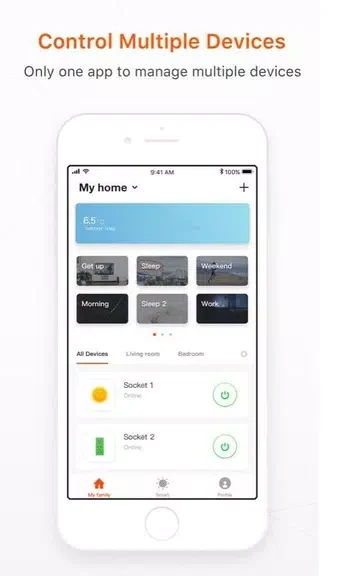
The app is intended for compatible smart home devices such as lights, power outlets, appliances, and cameras. Its dashboard organizes equipment by room and device type, making common controls easier to find. Supported devices can expose different controls, including on and off states, dimming, or temperature adjustments where those functions are available.
How does Genio handle grouped control?
Genio supports grouped actions for rooms or zones, allowing several compatible devices to respond to one command. A group can combine actions such as switching off lights on a floor, turning off selected outlets, or changing camera and appliance states together. Named scenes provide another way to save combinations for situations such as evening or away settings.
Can the app manage devices away from home?
Devices connected to the same home Wi-Fi network can generally be controlled locally, including when the internet connection is unavailable. Access from outside the local network requires the relevant configuration and an internet connection. Cloud-based notifications and any required account linking also depend on internet access.
What camera controls are available?
For compatible cameras, Genio presents live viewing and simple playback for recent events. Available controls focus on practical privacy and monitoring actions, including mute, snapshots, and disabling the camera. Device status indicators and basic logs can help identify connection or control issues during everyday use.
How can users create routines and schedules?
The app supports named scenes, scheduled events, and simple rules. Schedules can repeat daily, run on weekdays, or use sunrise and sunset timing where supported. Scene editing can combine device states, dim levels, and camera modes, while temporary overrides allow a schedule to be adjusted without removing its saved preset. These tools can be used for examples such as evening lighting, nighttime outlet shutdown, or camera activation when leaving home.
Does Genio work with voice control?
Genio integrates with compatible voice assistants, allowing natural phrases to trigger scenes or control individual devices. This adds a hands-free option alongside the app’s tappable tiles, room views, and dedicated controls page. The interface also includes adjustable text sizes, clear contrast modes, status indicators, and simple color cues for device state.
What should users know about setup and compatibility?
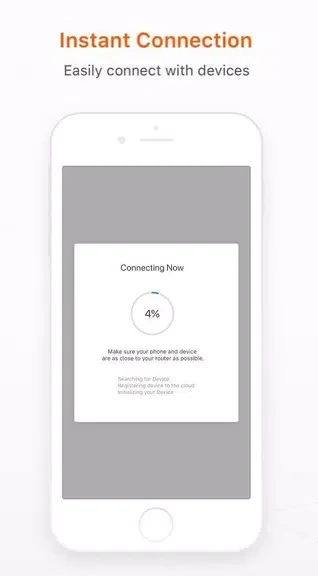
Onboarding includes network checks, device discovery, and pairing guidance for common smart plugs, bulbs, and camera models. The app can provide assistance when a device does not appear, while diagnostics and device histories support basic troubleshooting. Compatibility is not universal: some brands or legacy models may behave differently depending on firmware and the manufacturer’s implementation. Genio is therefore most suitable when the intended devices are compatible with its discovery and control features.
Version history
View all15 Oct 2026 · stable
Frequently asked questions
Can schedules use sunrise or sunset times?
Yes. Genio supports sunrise- and sunset-based schedules where that option is supported.
Can a saved scene be changed temporarily?
Yes. Temporary overrides let users adjust a scheduled setup without losing the saved preset.