
Fotor Photo Editor
Fotor Photo Editor is an Android photography app for enhancing images with more than 50 filters, layered effects, tilt-shift adjustments, and fingertip-controlled pixelation. It supports both quick visual changes and more specific edits, including text, cropping, resizing, and brightness adjustments.
Screenshots

About this app
Fotor Photo Editor is a photo editing application for improving images when you want quick enhancements or more controlled visual changes. Its filter library, effect-combination tools, tilt-shift adjustment, and pixelation feature cover several common editing purposes without requiring extensive photography knowledge.
When a photo needs a quick visual enhancement
For a fast change to an image, Fotor Photo Editor provides more than 50 filters and effects. These can be applied to enhance the appearance of a photo with a tap, making the filter library useful when you want to explore different visual treatments rather than adjust every setting manually. The app also allows multiple effects to be combined, so an image can use more than one treatment to produce a result that reflects a chosen style.
When you want a miniature or selective-focus effect
The tilt-shift tool is intended for changing the apparent depth of field in a photo. By adjusting the focused and blurred areas, you can selectively soften parts of the image and create a miniature-landscape effect. This gives the editor a more specific purpose than applying a general filter: it lets you control where the image remains clearer and where the blur appears.
When part of an image needs pixelation
Fotor Photo Editor includes a pixelation tool that works by swiping over an area with your fingertip. This can be used to cover a selected part of a photo for privacy or to add a deliberately pixelated visual treatment. Because the tool targets the area you swipe across, it is suited to localized edits rather than applying the same effect to the entire image.
When an image needs additional editing
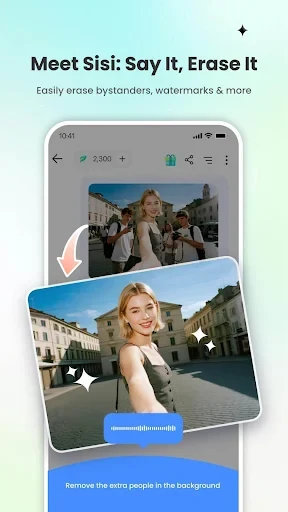
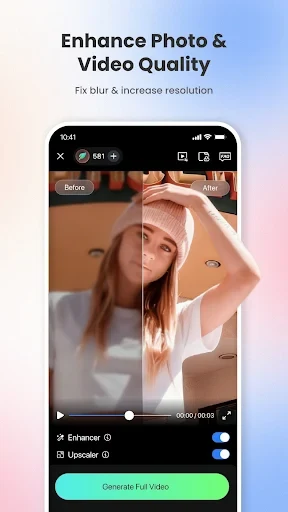
The source also describes practical editing controls for resizing and cropping images, adjusting brightness and contrast, enhancing portraits, adding text and overlays, removing backgrounds, and creating photo collages. Text can be placed on an image and customized through font, size, color, and spacing controls, with an option to bend the text for a more creative presentation. The app is described as having an easy-to-use interface and professional-oriented results, while the supplied information notes that it does not support printing.
Version history
View all11 May 2026 · stable
Frequently asked questions
Can Fotor Photo Editor print images directly?
The supplied information states that Fotor Photo Editor does not support printing.