

Fonts Keyboard
AZ Mobile SoftwareFonts Keyboard is an Android input method that lets users select from multiple font styles, apply text decorations, and insert symbols or emojis directly into conversations and other apps. It also includes clipboard management, theme customization, and options for offline use.
Screenshots
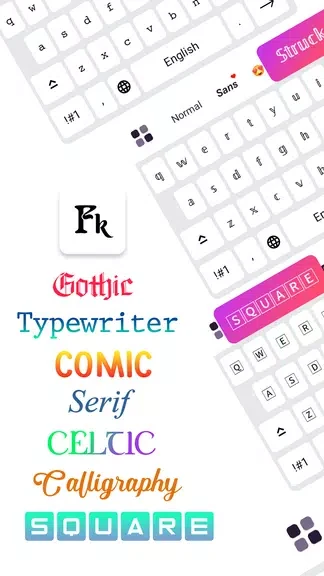
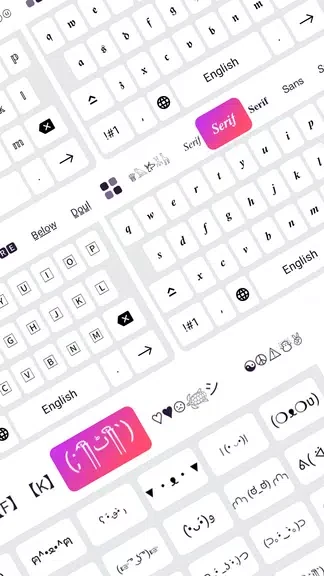

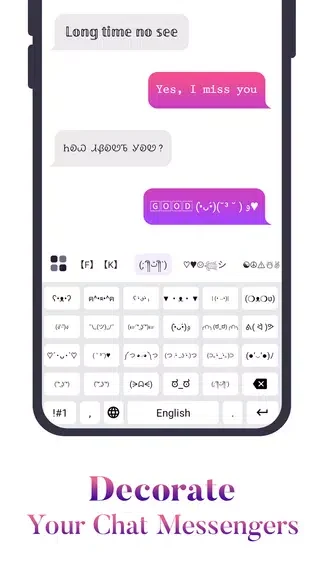
About this app
Fonts Keyboard is a customizable Android keyboard that brings dozens of stylish typefaces, emoji support, and text decorations directly into messaging apps and other input fields across the system.
Core Functions
The app replaces or complements the default input method by offering a broad selection of serif, sans-serif, monospace, and decorative fonts that can be applied on the fly. Quick formatting tools for bold, italic, underline, and spaced text work across most applications, while a symbol and emoji panel provides fast access to additional characters for social posts and messages.
Integration in Use
After granting input permissions, the keyboard becomes available as a selectable method and integrates with standard Android text fields in chat apps, note-taking tools, and social media platforms. Most common services preserve the styled output, though a small number of apps with strict rendering may strip formatting. Switching fonts occurs through a menu or dedicated key without interrupting the typing flow.
Customization Features
Users can build a favorites list of fonts, change key layouts between QWERTY and alternatives, and adjust key sizes. The theme engine allows changes to background opacity, key highlight colors, and preview samples so the keyboard matches personal preferences.
Performance and Workflow
The app is optimized to reduce latency during font switches or symbol insertion, with modest background resource use on modern devices and options to limit animations on lower-powered phones. A search bar in the font picker and clipboard manager for stored snippets support quick access during daily typing.
Privacy and Setup
Because it functions as an input method, the app requests permissions to read typed content and provides documentation on required data. Offline font packs are available to limit network access, and users are advised to review permissions during initial setup.
Version history
View all15 Oct 2026 · stable
Frequently asked questions
Does Fonts Keyboard work offline?
Offline font packs are available to reduce the need for network access after initial setup.