

All-In-One Offline Maps
PsyberiaAll-In-One Offline Maps combines downloadable regional maps, offline search, on-device route planning, and voice-guided navigation for driving, walking, and cycling. It also supports POIs, waypoints, bookmarks, map layers, and GPX file exchange for travel and outdoor planning when network access is limited.
Screenshots
About this app
All-In-One Offline Maps is a navigation app focused on downloadable maps, local route calculation, and search tools for use when an internet connection is limited or unavailable. It is designed for road trips, international travel, outdoor activities, urban exploration, and field planning where access to map data needs to continue beyond a reliable network connection.
Can maps and routes be used offline?
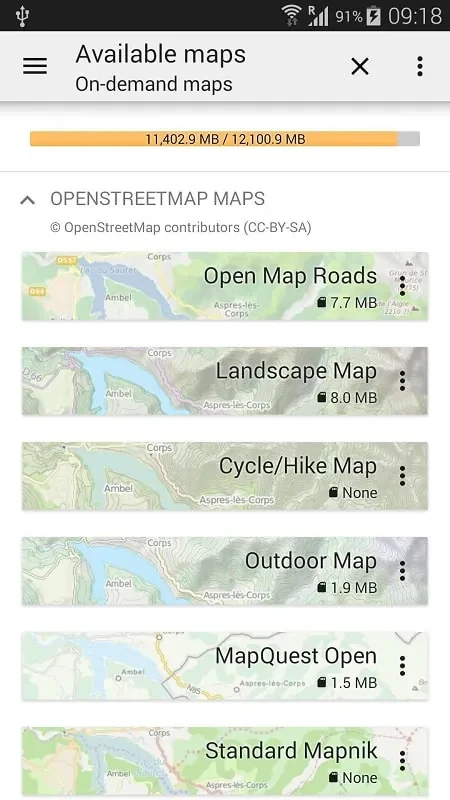
The app can store map regions on the device, including map tiles, indexes, and points-of-interest data. After the required areas are downloaded, maps can be rendered and routes can be calculated locally rather than relying on a continuous connection. Selective downloads and map compression are intended to help manage the storage used by regional map bundles.
What navigation modes are available?
All-In-One Offline Maps supports driving, walking, and cycling profiles. Driving and walking can use turn-by-turn guidance, while cycling routes can take bike-friendly pathways into account. Voice guidance is available for navigation, and the app can show speed, distance, estimated time of arrival, and lane guidance where that information is available.
How can a route be planned?
Route planning includes place search, waypoints, and multi-stop journeys. Users can create a route, reorder its waypoints, and receive guidance for the planned trip. The local routing engine can calculate fastest or shortest paths and adjust guidance when a user deviates from the selected route. This supports preparation for trips with several stops rather than only direct navigation between two locations.
Does it include places and saved locations?
An integrated points-of-interest database supports searches for locations such as campgrounds, stations, and hotels. Tapping a location can show address details and distance, with options to start navigation or save the place. Bookmarks provide a way to keep useful destinations available for later planning.
What map controls are provided?
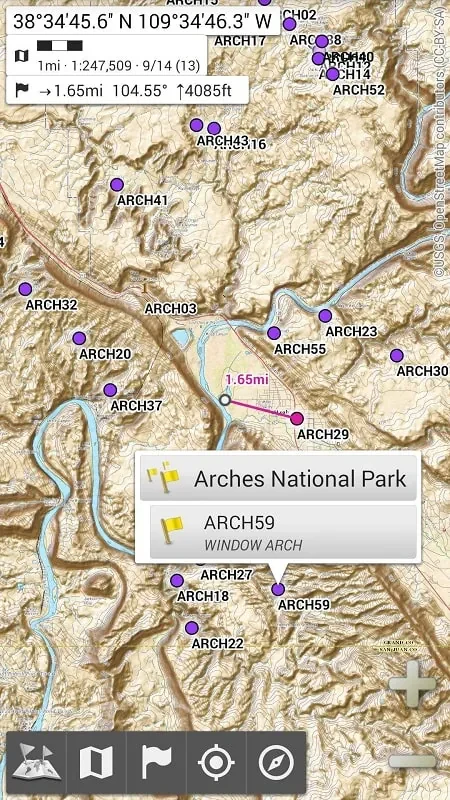
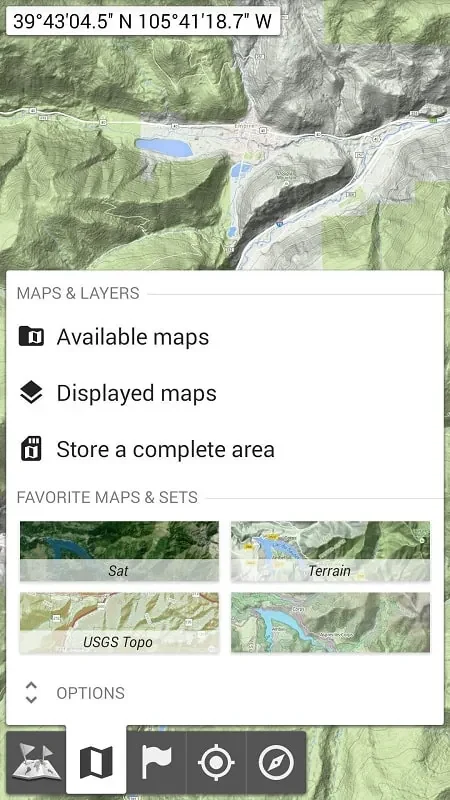
The central map view is paired with a persistent search bar and a bottom panel for active routes. Map layers can be changed to show satellite imagery, terrain shading, or transit overlays. The app supports both vector and raster map tiles, allowing downloaded map areas to contain the data needed for local viewing and route calculation.
Can routes be shared or transferred?
Routes can be exported or imported as GPX files. This is useful when a trip plan needs to be moved between compatible files or shared with another person. Speed and distance tracking also provide additional trip information, while background tracking can be selected when recording a journey.
Which situations does the offline approach address?
Downloaded regions can be useful on long drives through areas with weak connectivity, during international travel where users want to reduce reliance on mobile data, and on hiking routes in wilderness areas. The same offline access can support urban exploration and field operations where consistent access to local geodata is important. Emergency planners and field workers are among the use cases described for preloading areas before an operation.
How does the app handle storage and device resources?
Users can choose the regions and tile detail levels they need, with medium tile quality described as a balance between clarity and file size. Map tiles are cached and can be pruned according to recent usage to control storage growth. The app also adjusts GPS and rendering rates when idle to manage battery use. Clearing caches for rarely used areas and backing up bookmarks to a local file are suggested ways to manage stored data.
What should be prepared before a trip?
The documented workflow covers downloading a region, searching for a destination, adding waypoints, starting navigation, and saving useful places as favorites. Preloading maps over Wi-Fi can help prepare for travel abroad, while offline search indexing should be enabled before leaving. The map update section can refresh selected tiles, and routing problems or missing POIs can be reported through the in-app tool with coordinates or screenshots.
How are searches and location data handled?
Downloaded maps and searches are stored locally by default, reducing dependence on cloud services for those functions. Anonymous usage reporting and map updates are described as optional features that can be turned off. Location permissions are used while navigating or when the user chooses background tracking for trip recording.
Does it support different screen sizes?
The source describes compatibility across a wide range of Android versions and screen sizes. Tablet layouts provide split views for planning and navigation at the same time. The listed app version is 3.15d, while the supplied minimum operating-system field does not specify a usable Android version.
Version history
View all15 Oct 2026 · stable